In short
Learn how to transform your smartphone into a productivity tool with this comprehensive guide to minimalist phone setup and organization.
Your phone doesn't have to be a source of distraction. With the right setup, it can become your most powerful productivity tool. Here's how to create a minimalist phone environment that supports your goals instead of sabotaging them.
Step 1: Audit Your Apps
Start by taking a hard look at every app on your phone. Ask yourself these four critical questions:
- Does this app serve my core goals? - If not, it's just clutter
- Do I use it regularly? - At least once a week minimum
- Does it add value to my life? - Or just consume time?
- Does it align with my values? - Does it support who you want to be?
⚠️ Be Ruthless: If an app doesn't pass this test, delete it or hide it from your home screen. You can always reinstall it later if you truly need it.
Step 2: Organize by Function, Not Frequency
Instead of organizing apps by how often you use them, organize by purpose and function:
| Category | Apps | Purpose |
|---|---|---|
| Essential | Phone, Messages, Calendar, Camera | Core communication & basic functions |
| Productivity | Notes, Email, Task Management | Work and personal organization |
| Learning | Books, Courses, Educational | Personal growth and development |
| Health | Fitness, Meditation, Health Tracking | Physical and mental well-being |
| Entertainment | Music, Videos, Games | Leisure (use sparingly) |
Step 3: Create Friction for Distracting Apps
Make it harder to access time-wasting apps by implementing these barriers:
- Move them to a second or third screen - Out of sight, out of mind
- Put them in folders with generic names - "Games" instead of "Entertainment"
- Use app timers to limit usage - Set daily limits for social media
- Require a password or biometric authentication - Add an extra step
Pro Tip: The 2-Tap Rule
Any app that requires more than 2 taps to open should be considered "protected" from mindless usage. This small friction makes you more intentional about your choices.
Step 4: Customize Your Notifications
Take control of your attention by implementing these notification strategies:
- Turn off non-essential notifications - Only allow truly important ones
- Use Do Not Disturb during focus hours - Protect your deep work time
- Set up notification summaries - Batch less urgent items
- Create custom notification sounds - Different sounds for different priorities
Step 5: Choose a Minimalist Launcher
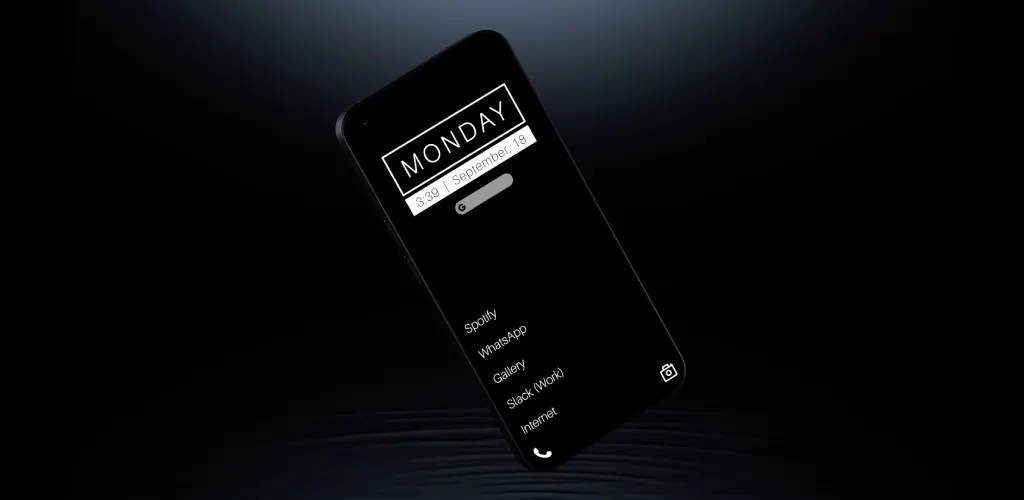
A minimalist launcher like Oasis Launcher can transform your phone experience by:
- Providing a clean, distraction-free interface - No visual clutter
- Offering app interrupts - Small challenges before accessing distracting apps
- Including focus modes - Hide everything except essentials
- Supporting productivity widgets - Quick access to important information
💡 Why Oasis Launcher Works: Unlike traditional launchers that encourage endless scrolling, Oasis Launcher is designed to promote intentional phone usage through thoughtful friction and clean design.
Step 6: Establish Phone-Free Zones and Times
Create physical and temporal boundaries by designating:
Time-Based Boundaries
- Morning routine - First hour after waking up
- Meal times - Focus on food and conversation
- Before bed - Last hour before sleep
- Work sessions - During deep focus periods
Space-Based Boundaries
- Bedroom - Keep phones out of the bedroom
- Dining table - No phones during meals
- Bathroom - Avoid using phones in the bathroom
- Car - Use hands-free or pull over
Maintaining Your Minimalist Setup
Regular maintenance is key to keeping your phone setup effective. Here's your maintenance schedule:
| Frequency | Task | Time Required |
|---|---|---|
| Weekly | App audit - remove unused apps | 5 minutes |
| Monthly | Notification review and cleanup | 10 minutes |
| Quarterly | Goal alignment check | 30 minutes |
| Annually | Complete phone reset and rebuild | 2 hours |
The Bottom Line
Remember, the goal isn't to make your phone boring – it's to make it intentional. Every app, every notification, every feature should serve a purpose in supporting the life you want to live.
"The best phone setup is the one that helps you live your best life, not the one that keeps you glued to the screen."
By following these steps and maintaining your setup regularly, you'll transform your phone from a source of distraction into a powerful tool for productivity and well-being.